Axacore · Model FXB21
Retire the analog fax line. Keep the fax machine.
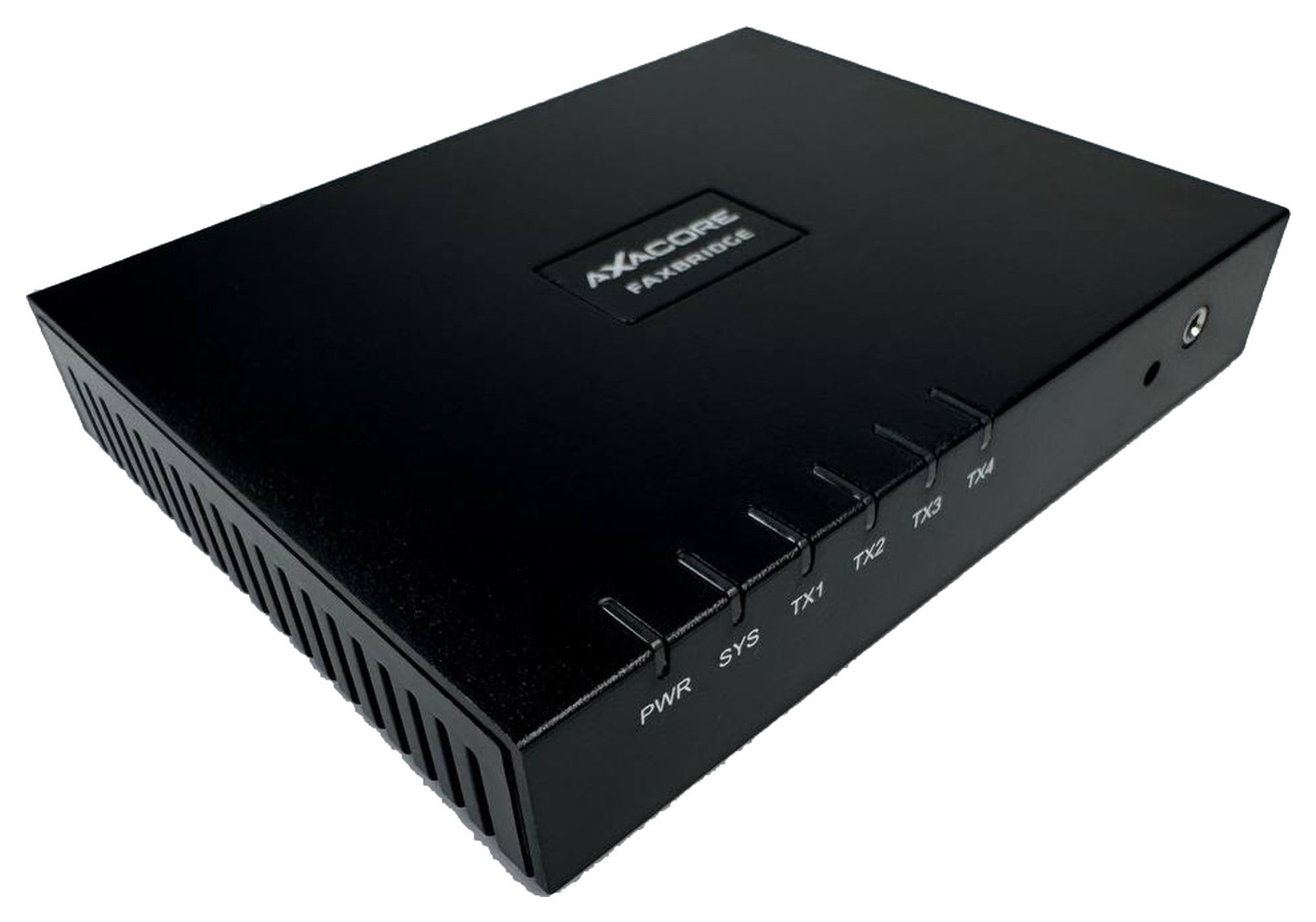
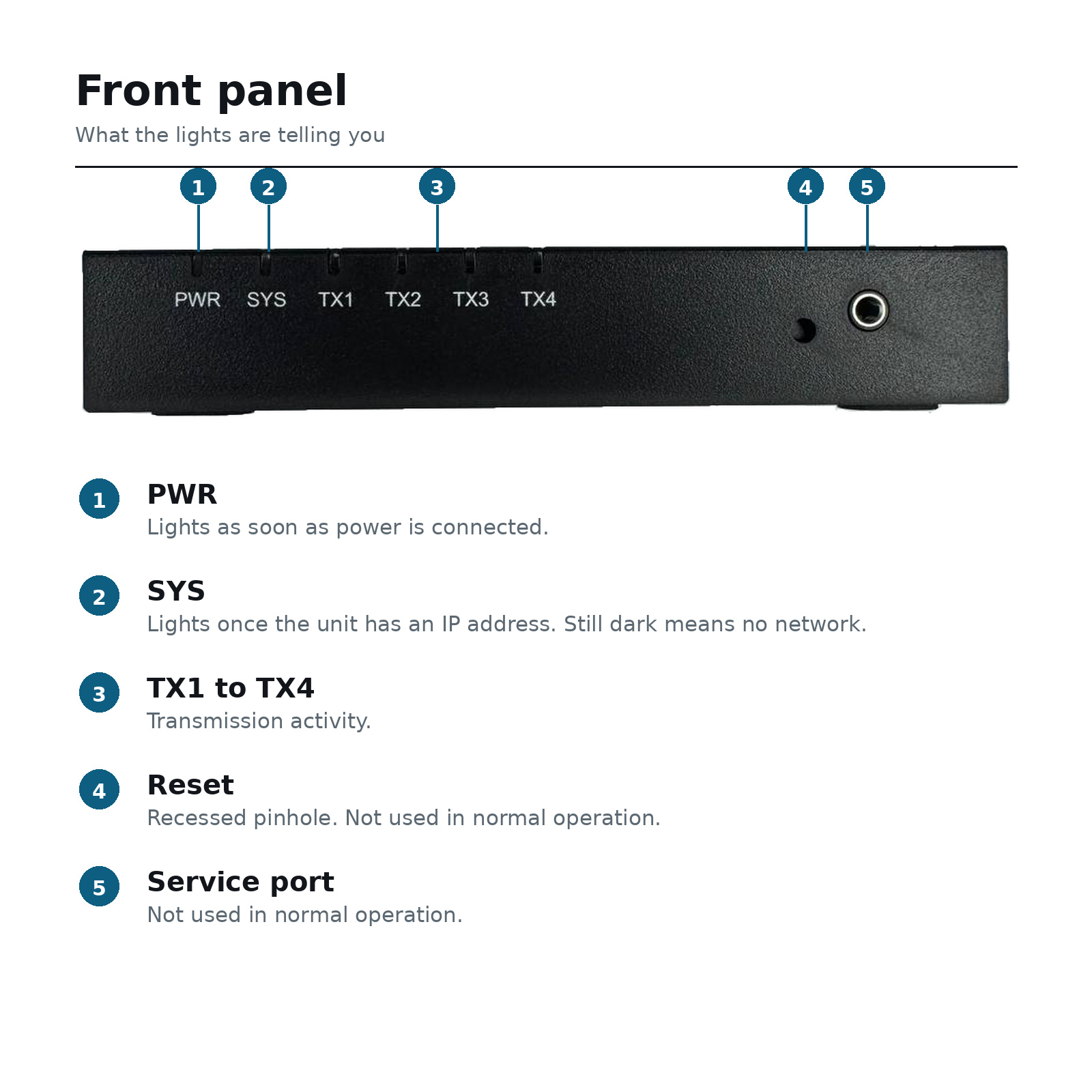
The Axacore FaxBridge FXB21 connects the fax machine or MFP your office already uses to a cloud fax service over your regular network connection, so the dedicated phone line at each machine goes away.
Single units ship through Amazon, with their returns and support. Buying five or more? Request volume pricing.
The problem
You are paying for a phone line that carries nothing but faxes
Analog lines are among the last copper circuits in most buildings, and carriers have been raising the price on them steadily as they retire the infrastructure behind them.
Most offices keep paying because the alternative looks like replacing the fax machine, retraining staff, and changing a workflow that currently passes audit. None of that is appealing when the machine works.
What the FXB21 changes
It puts the existing machine on the network instead of the phone line. The fax number stays the same. The machine stays the same. Staff feed paper and press send exactly as they do now.
- No new fax hardware to buy or learn
- No change to how documents are sent or received
- No VoIP provisioning or SIP configuration
- One small box that sits beside the machine
How it works
Three cables, then it is done
Setup takes about five minutes at the machine. Everything after that happens in your fax provider's portal.
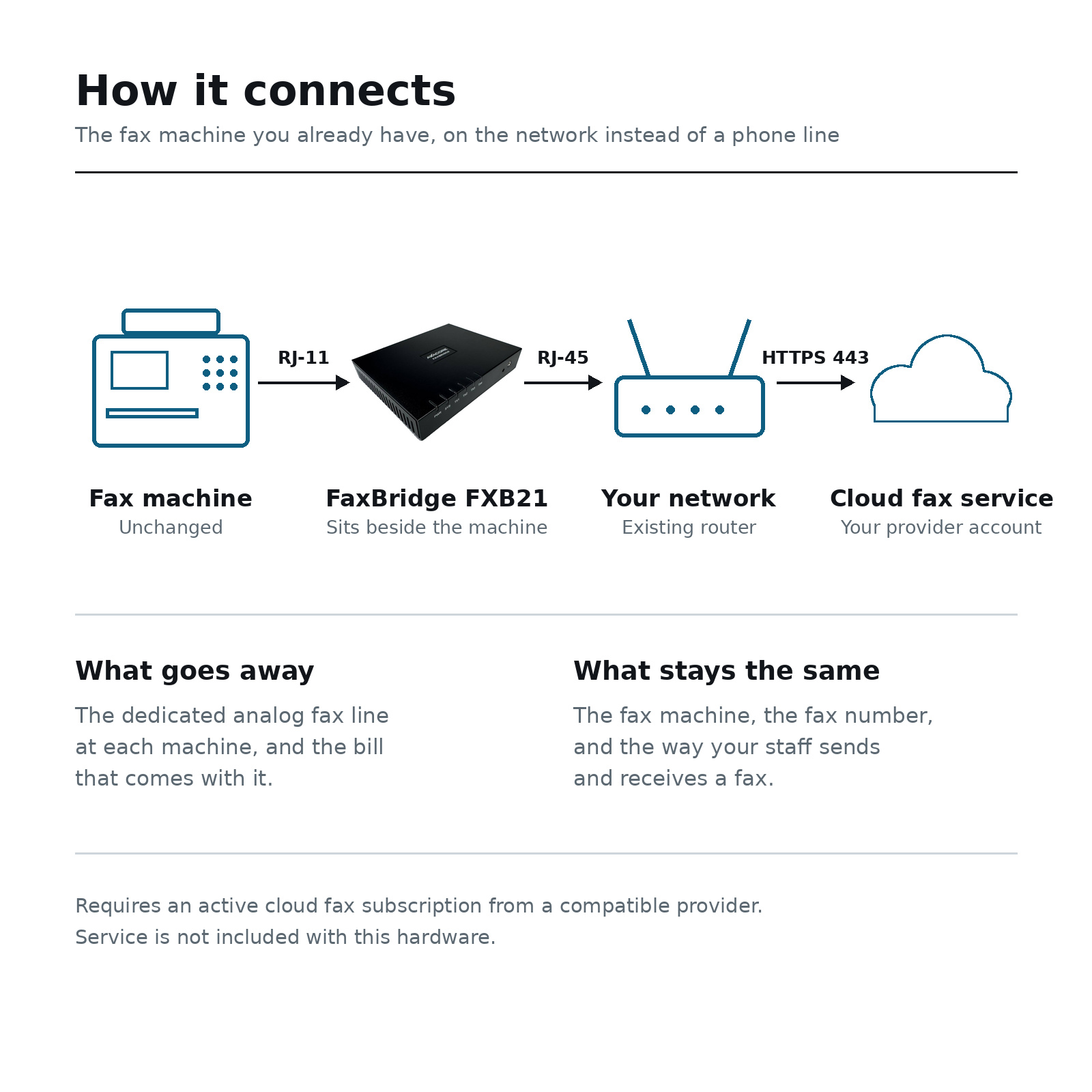
1. FAX port to the machine
An RJ-11 cord runs from the bridge's FAX port into the LINE port on your fax machine or multifunction printer.
2. WAN port to the network
Ethernet from the WAN port to any live LAN port. The bridge takes a DHCP address or a static one, and needs only outbound HTTPS on port 443.
3. Power last
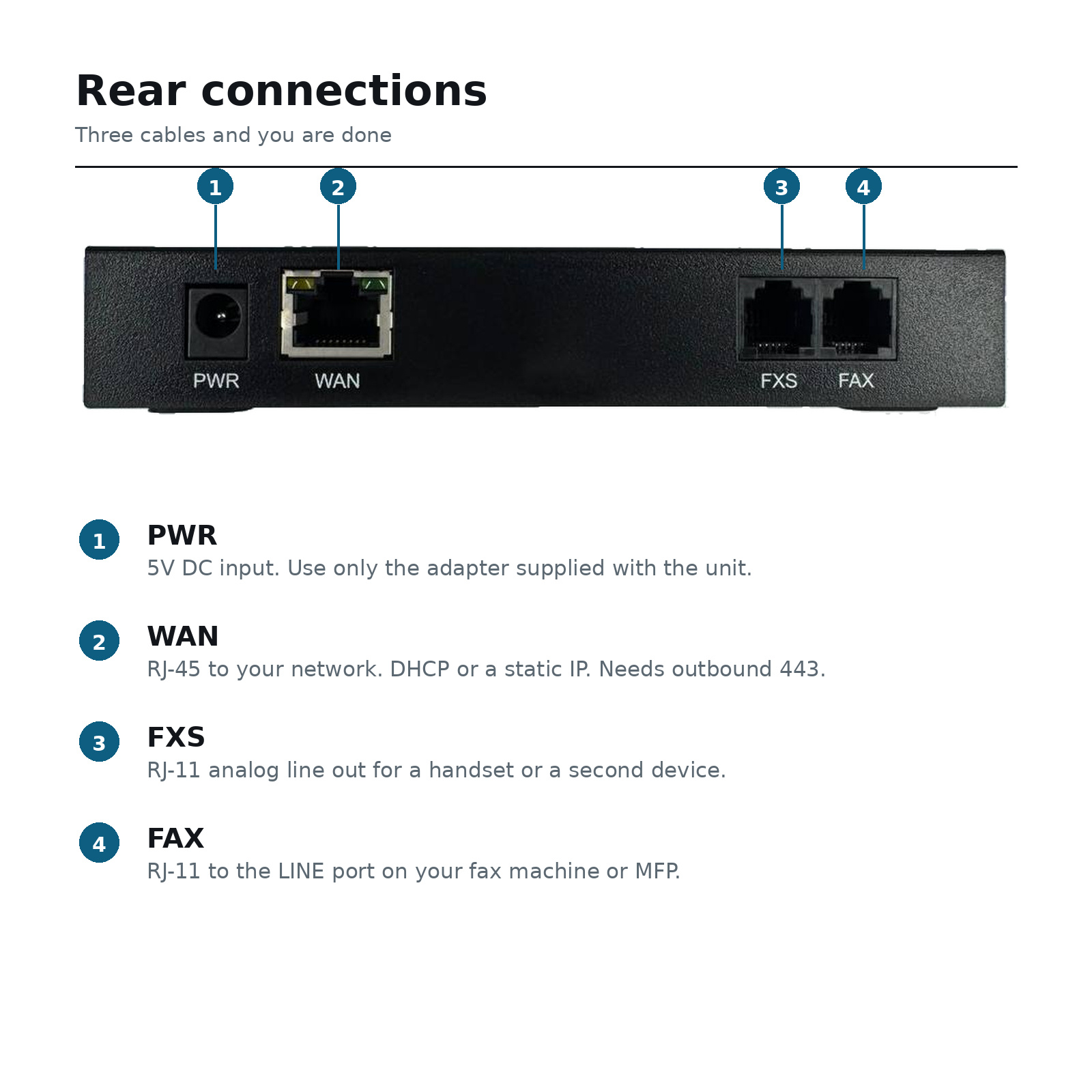
The supplied 5V adapter. PWR lights immediately, and SYS lights once the unit has pulled an address, usually within a couple of minutes.
Read this before you buy
The bridge is hardware. The faxing is a service.
The FXB21 does not fax on its own. It connects your machine to a cloud fax provider, and you need an active account with one for the unit to send or receive. That subscription is not included here and we do not sell it.
We would rather say that plainly on the way in than have it arrive as a surprise in the box.
Activation on this stock is confirmed
Each unit carries a serial that has to be provisioned into a cloud fax account before it will pass traffic. We submitted a serial from this inventory to Axacore and confirmed directly with them that it can be activated.
If a serial does not appear in your provider's connector list, it has to be added on their side rather than yours. We have a direct line to the manufacturer for exactly that, and we will use it.
Specifications
Axacore FaxBridge FXB21
| Manufacturer | Constellation Technology Solutions Inc. d/b/a Axacore |
|---|---|
| Model / part number | FXB21 |
| Condition | New, in original box |
| Network | RJ-45 WAN, DHCP or static IP, outbound HTTPS 443 |
| Telephony | Two RJ-11 ports, marked FAX and FXS |
| Indicators | Six front LEDs: PWR, SYS, TX1 through TX4 |
| Power | 5V DC external adapter, included |
| Dimensions | 5.5 x 4.25 x 0.9 in |
| Operating range | 41 to 114 F, 10 to 90% RH |
| Compliance | FCC Class A, CE, RoHS |
| In the box | FXB21 unit, RJ-11 cord, Ethernet cord, 5V DC power adapter |
Five units or more
Deploying across multiple sites?
We hold inventory in quantity, which means an IT provider standardizing across client practices can get the whole rollout from one place rather than hunting single units on the secondary market.
- Tiered pricing from five units
- Consistent stock, all new in box, same revision
- Manufacturer contact for provisioning questions
- A single evaluation unit first, if you would rather test before committing
Tell us roughly how many sites you are looking at and we will come back with a number. No account to create and nothing automated.
Questions
Before you buy
Do I need a cloud fax subscription?
Yes. The FXB21 is the hardware that connects your fax machine to a cloud fax service. It does not send or receive on its own, and no service is included with the unit. If you do not already have a provider account, get one sorted before the bridge arrives.
Will it work with my fax machine?
If the machine has a standard RJ-11 LINE port, which effectively all analog fax machines and fax-capable multifunction printers do, it will work. The bridge terminates an analog line, so it does not care about the make or model of the machine plugged into it.
What happens if the serial is not in my provider's system?
It has to be added on the provider's side. You cannot do it yourself from the customer portal. We confirmed with Axacore that units from this inventory can be activated, and if you get stuck we will take it up with them directly rather than leaving you to chase it.
Can I keep my existing fax number?
That is between you and your cloud fax provider rather than a function of the hardware. Most providers port existing fax numbers. Ask them before you cancel the analog line.
What is the second RJ-11 port for?
The port marked FXS is an analog line out. You can put a handset or a second analog device on it. It is not required for faxing and most installs leave it empty.
Are these new or refurbished?
New, in the original box, with the RJ-11 cord, Ethernet cord and 5V power adapter included. They are not pulls from previous deployments.